Project Information
- Category: Data Engineering & Business Intelligence
- Platform: Snowflake, Power BI
- Project Type: Academic / Professional Portfolio
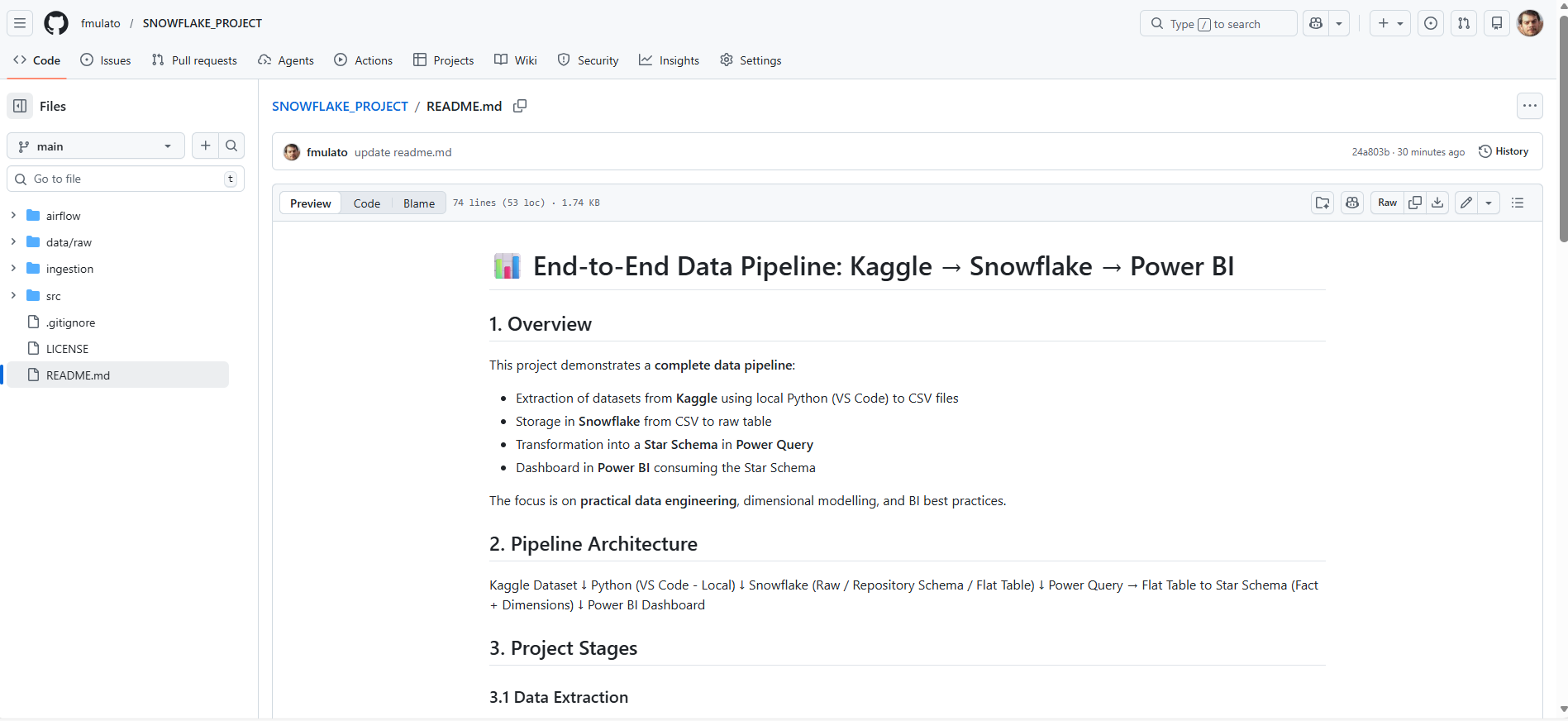
- Scope: End-to-end data pipeline: Kaggle → Snowflake → Power BI
End-to-End Snowflake Pipeline
Overview:
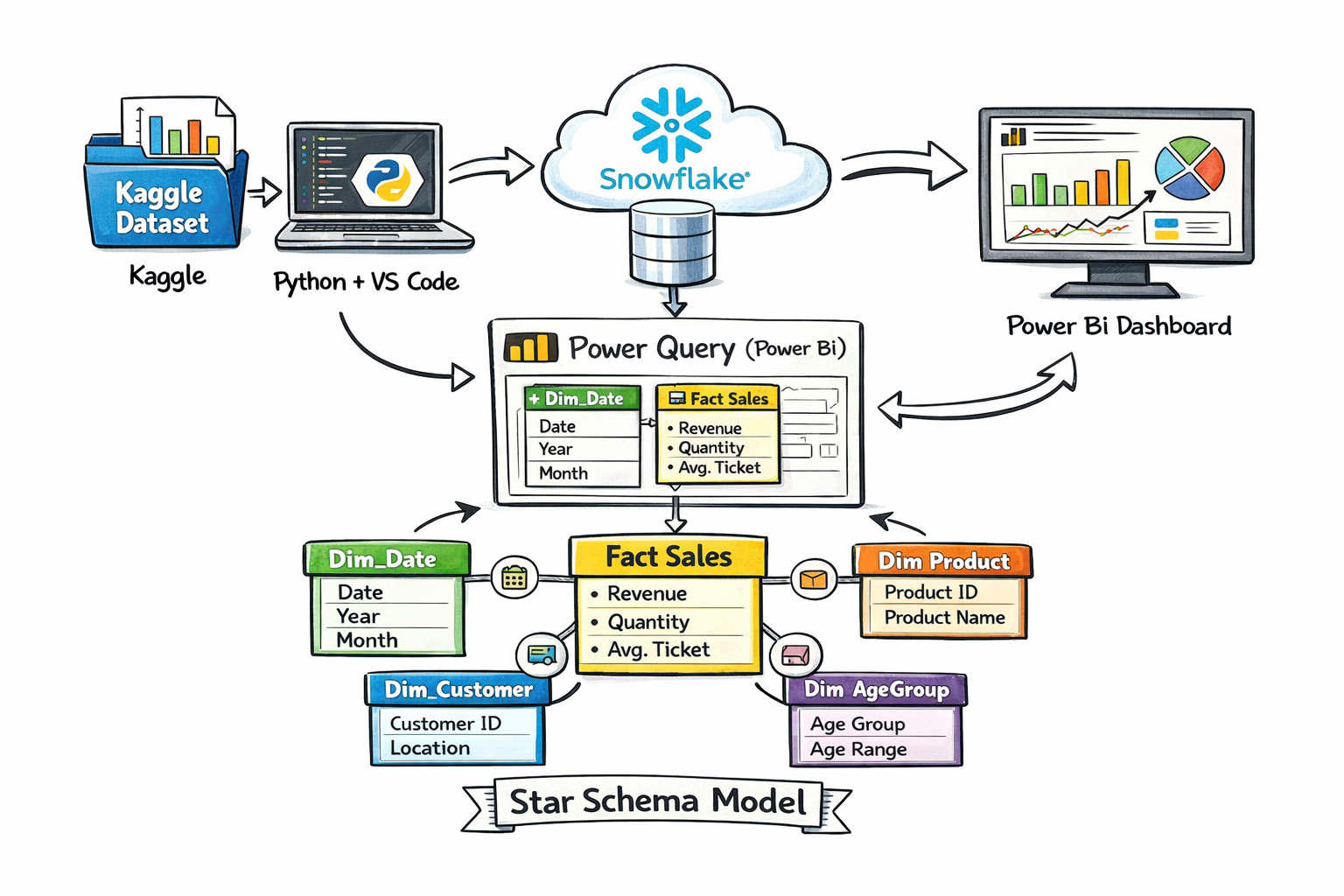
This project implements a complete data pipeline ingesting public datasets from Kaggle, storing them in Snowflake raw tables, transforming into a Star Schema via Snowflake views and Power Query, and generating dashboards in Power BI for analytical insights.
Objectives:
- Design a scalable ETL pipeline with Python and Snowflake
- Create a dimensional Star Schema for reporting
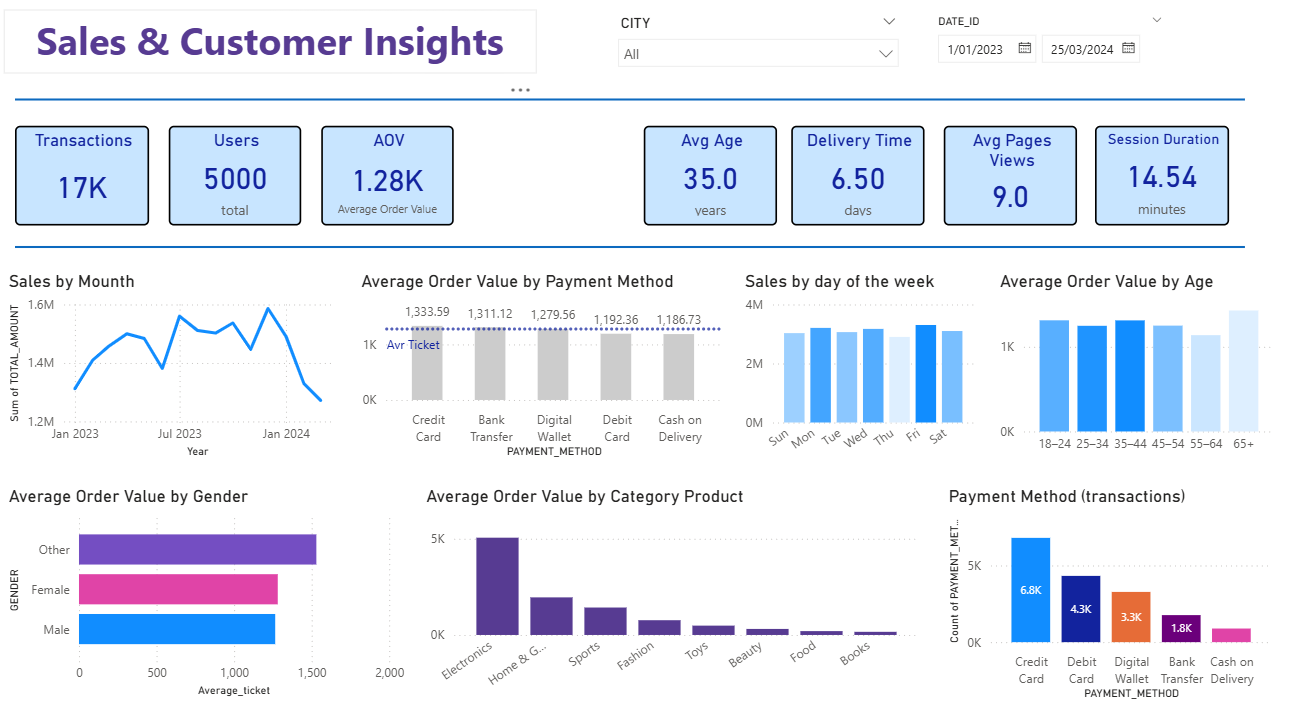
- Build interactive dashboards in Power BI
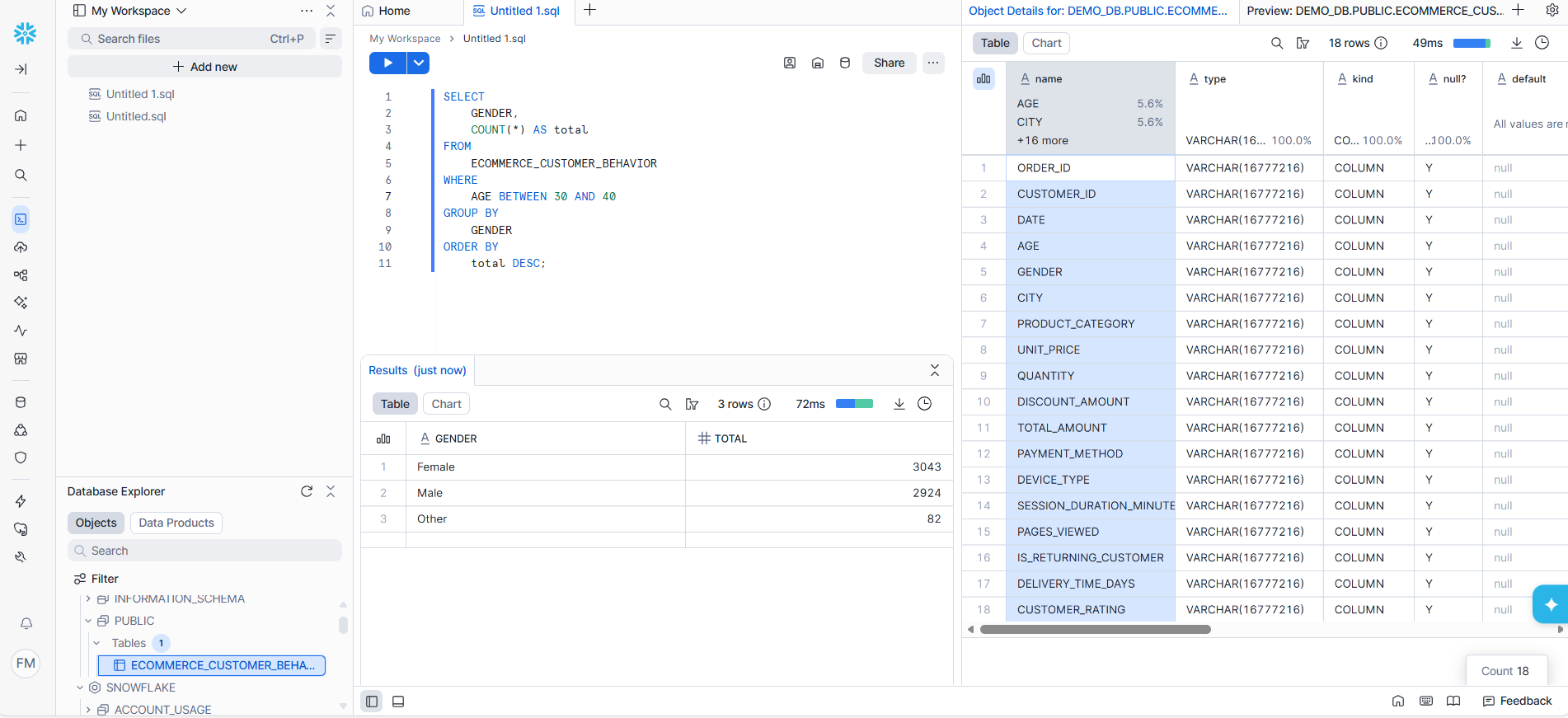
- Ensure data accuracy and consistency through validation checks
- Provide analytics-ready datasets for business decisions
Architecture:
- Extraction: Kaggle datasets downloaded via Python scripts
- Loading: Raw tables in Snowflake (ANALYTICS_REPO schema)
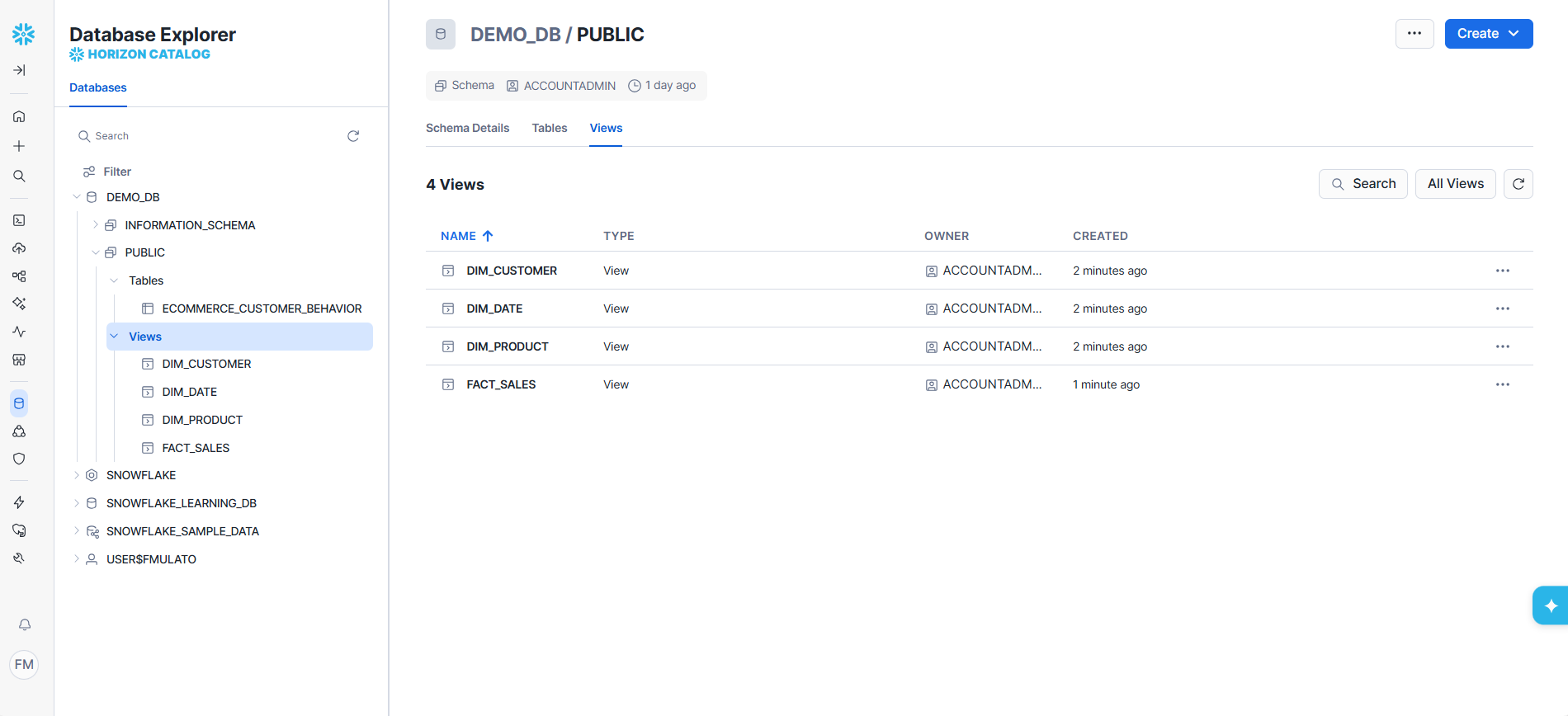
- Transformation: Snowflake views create dimensions and fact tables (Star Schema)
- Visualization: Power BI dashboards consuming the Star Schema
Fact & Dimension Tables:
- Fact_Sales
- Dim_Date
- Dim_Customer
- Dim_Product
- Dim_AgeGroup
Technology Stack:
- Kaggle, Python, Snowflake, Power Query, Power BI
- Pandas, json, kagglehub
- Data validation and version control (Git/GitHub)
Key Learnings:
- End-to-end data engineering workflow
- Dimensional modelling for BI
- Data validation and accuracy checks
- Building professional dashboards for decision-making
Comparison of Transformation Approaches:
| Approach | Advantages | Disadvantages |
|---|---|---|
| Snowflake Views |
- No storage duplication, lightweight for static datasets - Easy to maintain and adjust logic without reloading data - Ideal for datasets without incremental updates |
- Slightly slower for very large queries - Not suitable for frequently updated transactional data - Limited optimization for complex joins or aggregations |
| Snowflake Tables |
- Persistent storage, optimized for large-scale reporting - Supports incremental loading and indexes - Best for frequently updated or transactional datasets |
- Requires storage space and management - Updates require ETL jobs or scripts - Less flexible for rapid schema changes |
| Power Query (Desktop / ETL) |
- Very user-friendly, visual interface - Quick prototyping and column type adjustments - Good for small/medium static datasets |
- Limited scalability for large datasets - Local processing may be slower - Transformations tied to Excel/Power BI environment |
Note: In this project, a Snowflake view was chosen instead of a table because the dataset is static and does not require incremental updates. This allows for a lighter, easier-to-maintain solution without unnecessary storage duplication, while still enabling Star Schema transformation for Power BI dashboards.
Full source code available on https://github.com/fmulato/SNOWFLAKE_PROJECT